Connections
Connections are the entry points to your data. A connection binds an S3-compatible storage bucket (or a folder within it) to your organization, so everything you do in Cytario — browsing, viewing, analyzing — happens against a connection you can reach.
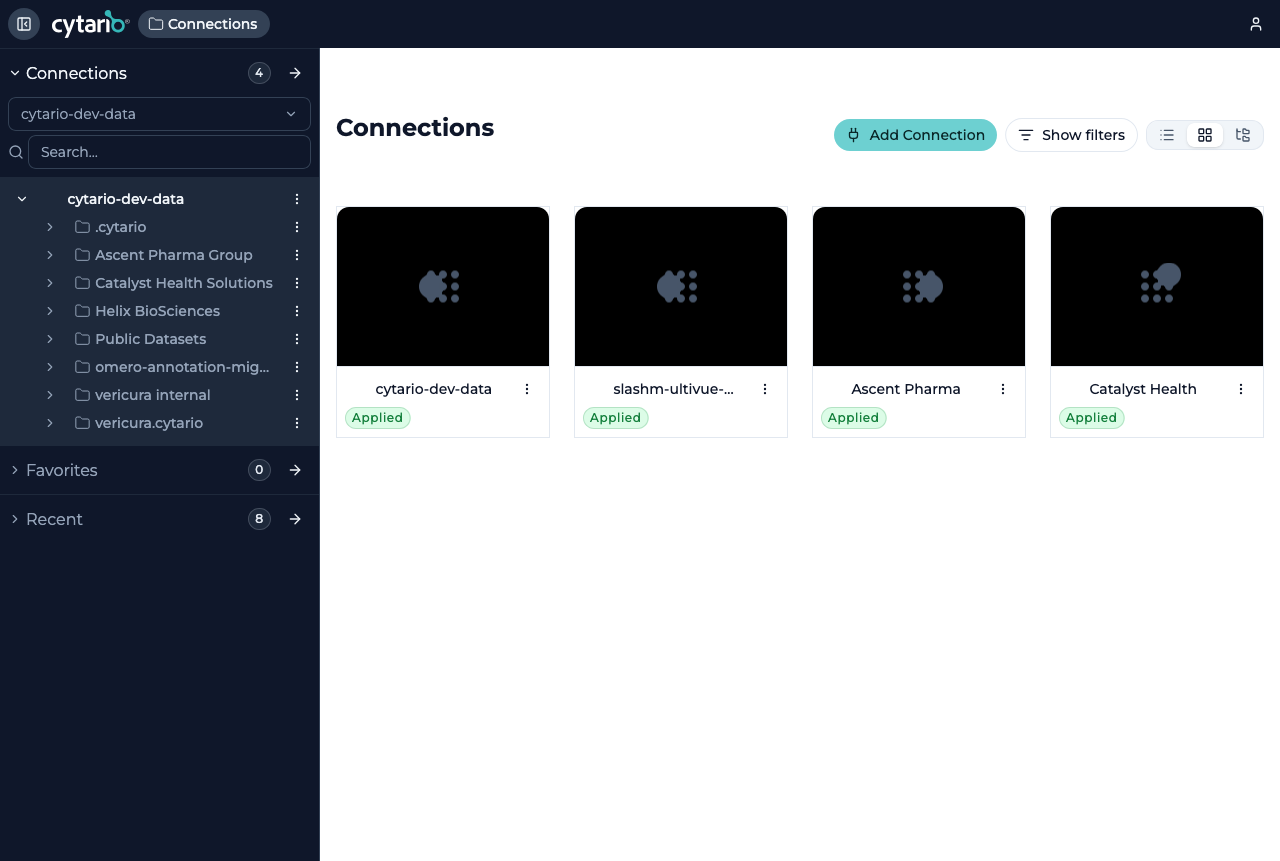
The connections list
The Connections screen lists every connection you can use. Each entry shows the connection's name, its status (for example Connected), and an Actions menu with options such as adding or sharing.
- List, grid, and tree view modes let you choose how connections are presented.
- Show filters narrows the list.
- Add Connection starts the flow to connect a new bucket or folder.
Adding a connection
Choose Add Connection to open the guided form. A connection is defined by:
| Field | Purpose |
|---|---|
| Provider connection | The cloud storage account to connect through |
| Bucket | A registered bucket under that provider connection (typed freely when the selected provider is public; the optional Endpoint field then lets you point at a non-AWS S3-compatible backend) |
| Prefix | Optional path within the bucket to scope the connection to |
| Name | A friendly label, auto-suggested from the bucket |
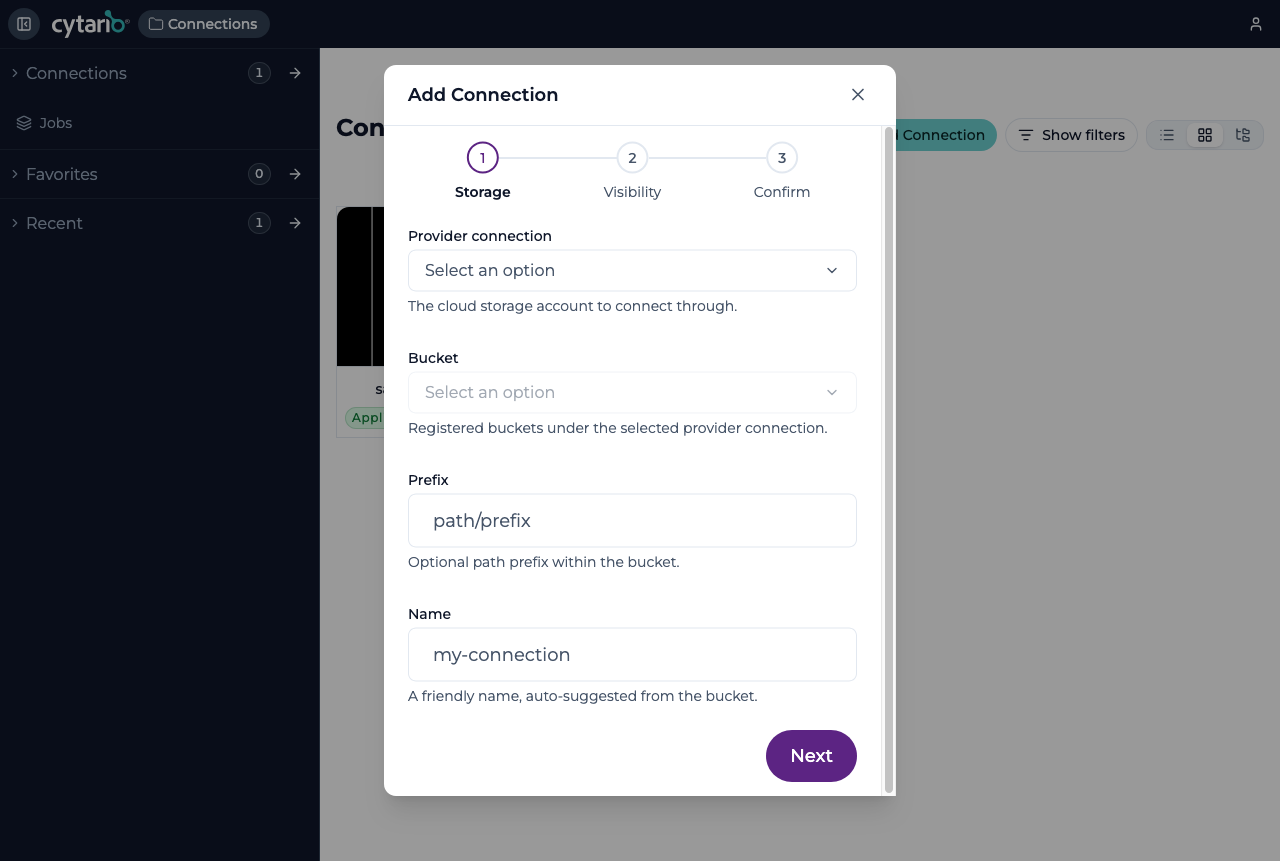
The flow proceeds through Storage → Visibility → Confirm: after choosing the storage you pick which groups in your organization can use the connection (its visibility), then confirm.
Where storage comes from differs by edition
In the hosted and Enterprise editions, the buckets and provider connections available to choose from are set up by an admin in the admin portal. In self-hosted/open-source deployments the accounts and roles are provisioned by your operator. See Editions.
Public connections
A public connection points at a bucket that is readable by anyone — no credential is held, and the connection is read-only: browse, view, and search work; annotate, edit, and share do not; downloading an access profile works (Cyberduck connects anonymously). The bucket must allow public listing and cross-origin reads, and its connections carry the Managed externally status instead of a policy Cytario applies itself.
The Public provider connection is built in and offered in every deployment — you select it and type the bucket's name (and, for a non-AWS backend, its endpoint); nothing is registered in the admin portal for it. A deployment's operator can change the default endpoint or disable the provider (deployment configuration).
See Opening a public dataset in the getting-started guide for the full picture, including the CORS rule a bucket's owner must add.
Folders inside a connection are shared from the object browser — see Sharing a folder.